Browser AI Agents
We build browser agents for tasks like data entry, scraping, research, portal operations, and workflow execution across web apps that don’t have clean APIs.
Typical impact
Based on similar deployments. Actual results depend on your workflow and data.
Live demo
When to choose this
- Portal or vendor sites with no API but daily manual work
- Ops teams doing repetitive form fill, extract, submit loops
- Research workflows across multiple web apps
Is this solution for you?
A quick check before you invest time in a call — who gets the most value, and when to pick something else.
Good fit if you…
- Portal or vendor sites with no API but daily manual work
- Ops teams doing repetitive form fill, extract, submit loops
- Research workflows across multiple web apps
- Legacy internal tools only accessible via browser
Probably not if you…
- When a stable API exists — use the API instead
- Sites with aggressive bot blocking and no enterprise access
- One-click tasks that do not justify agent infrastructure
Before vs after
What actually changes in day-to-day operations — not marketing fluff.
Portal work
Today
Person clicks through same 12 steps daily
With this solution
Agent runs the path with verification
Errors
Today
Wrong field pasted; found hours later
With this solution
Step-level verify before continuing
UI changes
Today
Brittle script breaks silently
With this solution
Observation-based retry and logged failure
Scale
Today
More volume = more people
With this solution
Same agent pattern on parallel runs
How a request moves through the system
The agent reads page state, plans the next action, clicks or types or extracts, then verifies the result. Retries and logging sit in the same loop so operations can see where a run stopped.
Agent reads current page state and available actions
Choose next click, type, scroll, or extract step
Execute interaction in the browser
Confirm expected element, text, or download appeared
Retry with alternate path or flag for human review
Push extracted data to spreadsheet, ERP, or ticket
Real scenarios
Concrete situations this solution is built to handle — not generic feature bullets.
Vendor portal data entry
The agent moves records into a portal that has no API, including the confirmation screen after submit.
Research and capture across web apps
It can collect structured fields from a sequence of pages and return them to an internal system.
A UI change mid-week
Retries and visible failure beat a script that clicks the old coordinate and reports success.
What we build
- Browser navigation and interaction
- Multi-step task execution
- Form filling and extraction
- Exception handling and retries
- Logging for operations review
- Reusable patterns for portal workflows
Outcomes you can expect
- Less manual browser work on portal-heavy ops
- Logged runs for audit and debugging
- Faster task completion on multi-step web flows
- Reusable pattern when the next portal appears
Connects with
Common use cases
- · Portal and dashboard automation
- · Web research and data capture
- · Repetitive operations automation
- · Legacy system workflows
How we typically deliver
Phases and outputs so you know what happens week by week. Timelines adjust to your scope.
Week 1–2
Record one real workflow including exception branches
You get: Task automation blueprint
Week 3–5
Build observe-act-verify loop with logging
You get: Agent on staging environment
Week 5–6
Harden retries and human exception queue
You get: Pilot on live portal (read-only first)
Week 6+
Add write actions and second workflow
You get: Ops runbook
Common questions
How is this different from traditional RPA?
Traditional RPA follows brittle UI scripts that break when buttons move or pages load differently. Browser AI agents observe page state, plan steps, verify outcomes, and retry when the UI misbehaves—making them better suited to portal work where layouts drift. They still need guardrails, logging, and human escalation for irreversible actions. Where a clean API exists, we prefer the API; browser agents are for the large set of operational workflows that only exist in a browser today. The goal is resilient completion of portal tasks, not a flashy click recording.
Do we still need an API?
If a clean, supported API exists for the action you need, use it—APIs are usually more stable and cheaper to operate than browser automation. Browser agents exist for the common reality that critical partner portals, insurer systems, or vendor tools only expose a human UI. Many production designs mix both: APIs where available, browser steps where unavoidable. During discovery we inventory which steps can move off the browser over time. That keeps the architecture honest instead of forcing RPA theater when an integration already exists.
What if the website layout changes?
Observation, verification, and retries are part of the agent loop, so minor UI changes do not always require a full rewrite the way classic selectors do. When a change breaks the flow, failures are logged with screenshots or step traces so operations can see the break instead of discovering missing work downstream. Critical flows get monitoring and alerts. Larger redesigns still need maintenance—browser automation is never “set and forget”—but the operating model is designed for visibility and recovery. We also document selectors and success checks so fixes are faster.
Is there a demo?
Yes. This solution includes a video of a browser agent completing a multi-step workflow so you can see planning, tool use in the browser, and recovery behavior. Your production case will depend on the specific portals, credentials, and compliance constraints involved. After the demo, we usually map one high-volume portal process and define success criteria such as completion rate and exception handling. Security review for credentials and environment access is part of scoping. The demo proves the pattern; the pilot proves it on your sites.
Shipped in production
Related case study
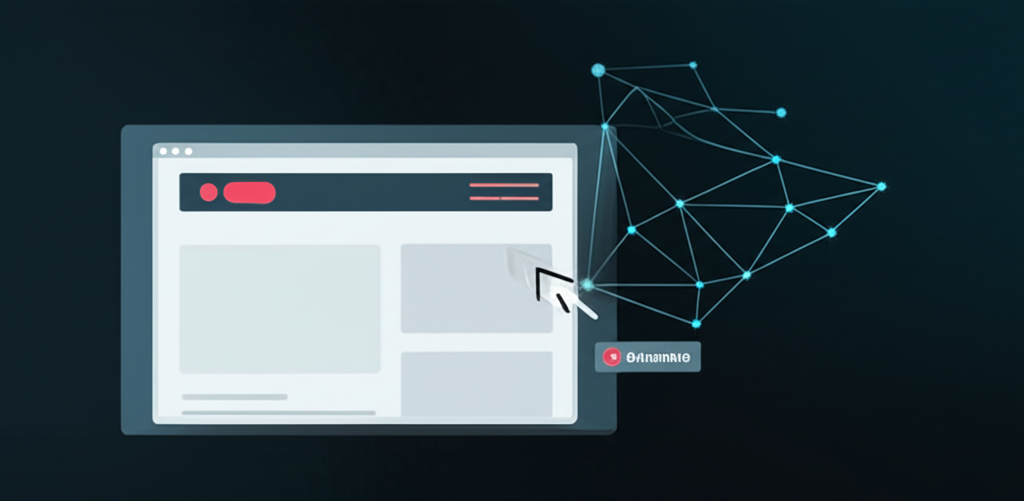
Browser Agent
An AI workflow agent that navigates web interfaces, completes multi-step browser tasks, and reduces repetitive operations work.
Read the full case studyOther solutions
Reduce support load
Customer Support Automation
Coordinate specialist agents
AI Multi Agents
Natural voice interactions
Voice AI Agents
Want this mapped to your workflow?
We will walk through your tools, volume, and escalation rules — and tell you honestly if this is the right fit.
Book a consultation