Browser Agent
An AI workflow agent that navigates web interfaces, completes multi-step browser tasks, and reduces repetitive operations work.
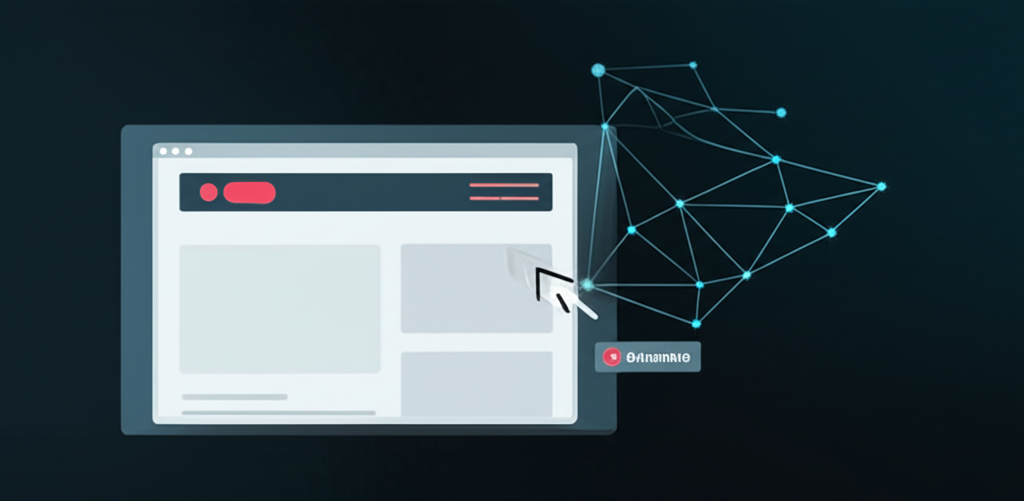
Demo
Project overview
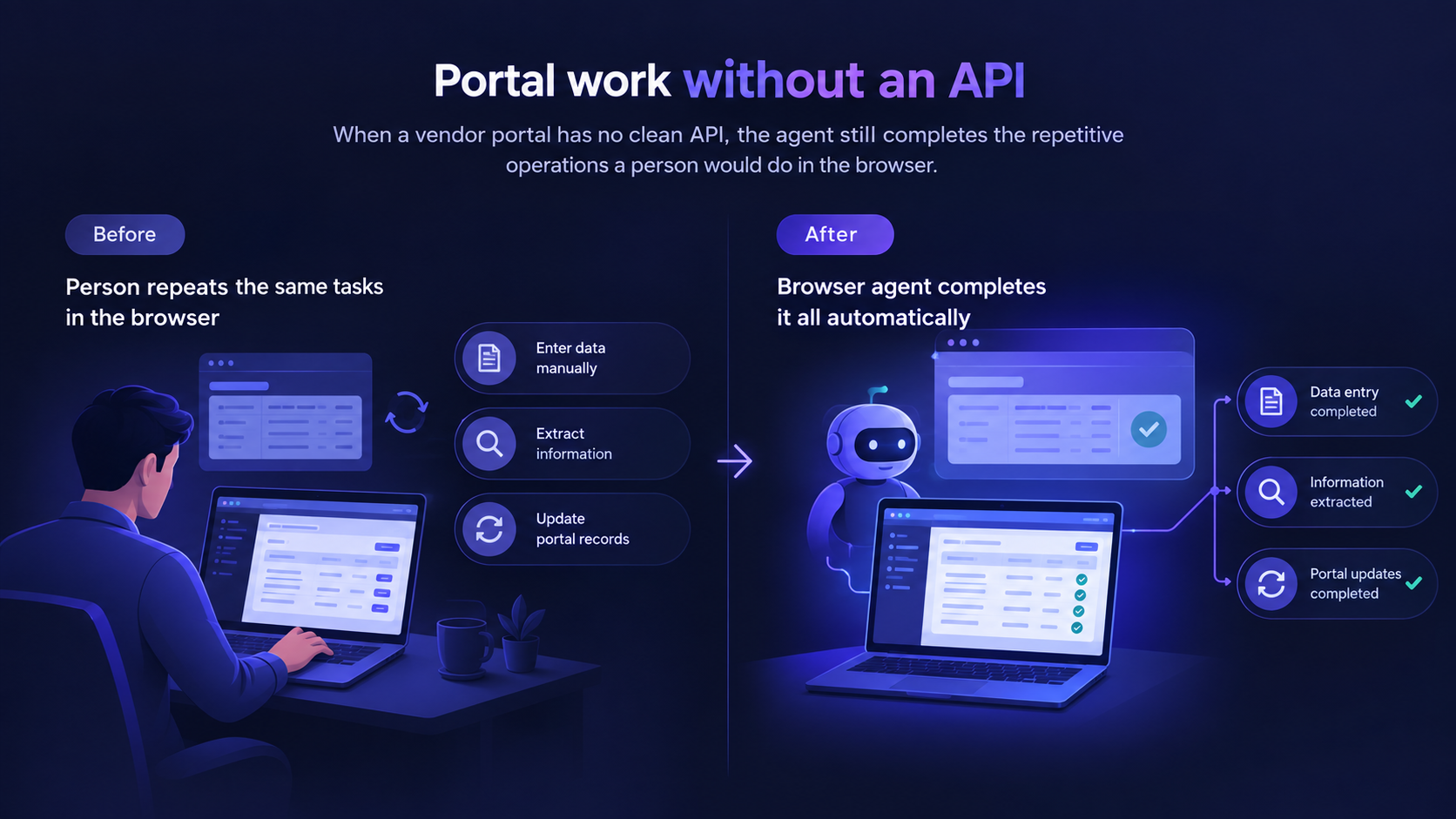
A surprising amount of operations work still lives in web portals that were never given an API. People copy, click, paste, and hope the UI did not change overnight.
This browser agent observes the page, plans the next step, and completes multi-step tasks — form fills, extraction, navigation, retries — the way a trained operator would. It is for portal work, not for sites that already offer a clean integration.
Guardrails, logging, and exception handling matter as much as the click. The agent has to fail visibly when the UI surprises it.
The challenge
Teams were repeating the same browser tasks across portals and dashboards that did not offer clean APIs. The work was slow, easy to mistype, and expensive to staff as volume grew.
The solution
We created a browser agent that understands web interfaces, executes multi-step workflows, and handles portal work that usually needs a person at the keyboard. Observation, action, verification, and retry sit in one loop, with logging for operations.
What we built
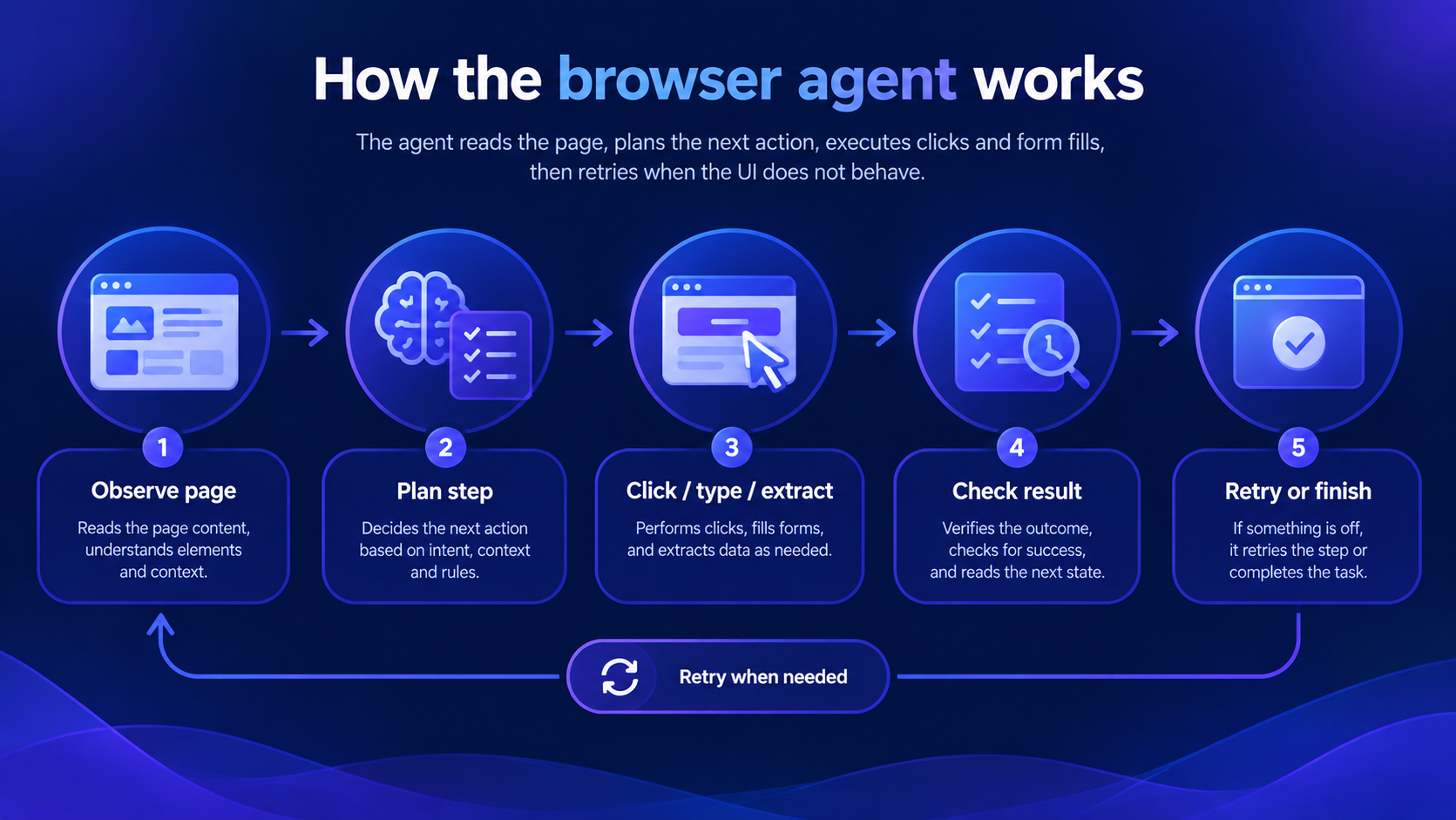
How we approached it
Record the real click-path
We automated the workflow people actually do, including the ugly branches, not the happy-path demo.
Observe, then act
The agent reads the page state before clicking so a changed button is a handled exception, not a silent miss.
Verify after every critical step
Extraction and submissions are checked before the next action runs.
Log enough to debug
Operations needs to see where a run stopped, not only that it failed.
Examples from the workflow
These are the kinds of moments the system was designed to handle — not hypothetical product slides.
Vendor portal data entry
The agent moves records into a portal that has no API, including the confirmation screen after submit.
Research and capture across web apps
It can collect structured fields from a sequence of pages and return them to an internal system.
A UI change mid-week
Retries and visible failure beat a script that clicks the old coordinate and reports success.
Stack and delivery pieces
Outcomes
Questions this case study usually raises
How is this different from traditional RPA?
The agent is built to understand page state and plan steps, then retry when the UI does not behave. It is aimed at portal work where a rigid script usually breaks. In practice for A UI change mid-week, those rules are encoded in the workflow with logging so operators can see what occurred and intervene when needed. Edge cases are designed deliberately rather than left to improvisation. After launch, failure patterns feed iteration—knowledge updates, routing changes, or model/evaluation improvements. The operating model is meant to stay visible and supportable for your team.
Do we still need an API?
If a clean API exists, use it. This agent is for the large set of operational workflows that only exist in a browser. For engagements like A UI change mid-week, we confirm fit during discovery against your stack, volume, and compliance constraints rather than assuming every environment matches the case study one-to-one. Integrations, permissions, and review gates are planned explicitly. A pilot usually proves the highest-value path first, then expands once quality and adoption are clear. That keeps delivery practical and measurable.
What if the website layout changes?
Observation, verification, and retries are part of the loop. Failures are logged so operations can see the break instead of discovering it downstream. In A UI change mid-week, those details were treated as product requirements—not afterthoughts—so the workflow stayed usable for real operators. Discovery, phased delivery, and evaluation against real scenarios shaped what shipped. If you pursue a similar build, we start by mapping your equivalent constraints and success metrics. The case study is a reference for approach and outcomes; your implementation is tailored through scoping.
Is there a demo?
Yes. This case study includes a video of the browser agent completing a multi-step workflow. The demo is there to make the workflow concrete—how users interact, what the system captures, and what gets handed to a human when needed. It is illustrative of A UI change mid-week, not a guarantee that your production environment will behave identically without discovery and integration work. After you review it, we typically map the same pattern to your data sources, permissions, and success metrics in a scoped pilot. That sequence keeps evaluation honest before a larger investment.
Browser AI Agents
We build browser agents for tasks like data entry, scraping, research, portal operations, and workflow execution across web apps that don’t have clean APIs.
View the solutionMore case studies

Voice Agent
Generative voice AI that understands spoken requests and responds in real time for natural, unscripted conversations.
Read case study
Advanced Chatbot
A generative AI chatbot that keeps conversation context, answers across domains, and delivers more human-like support experiences.
Read case study
Multi Agent System
A collaborative AI system where specialized agents plan, execute, and review work together on complex business workflows.
Read case studyNeed a case study like this?
Client names stay confidential. Request fuller details under NDA, or talk through a similar workflow for your team.